TensorFlow Lite - 人物偵測
材料準備
AmebaD [AMB21 / AMB22 / AMB23 / BW16] x 1
Arducam Mini 2MP Plus OV2640 SPI Camera Module x 1
LED x 3
範例説明
步驟
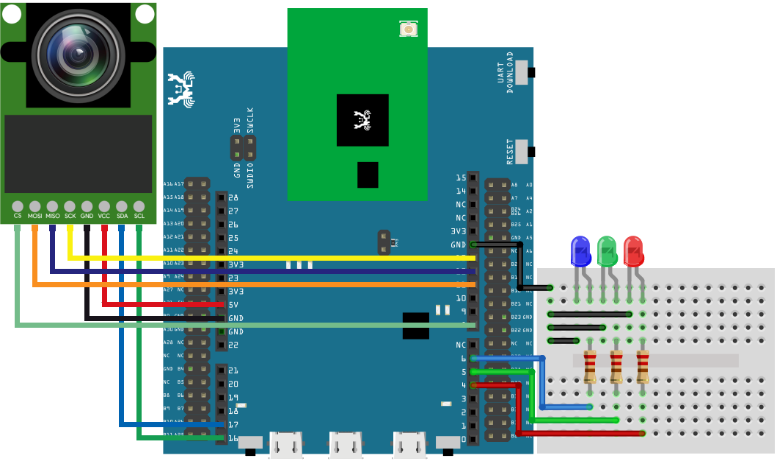
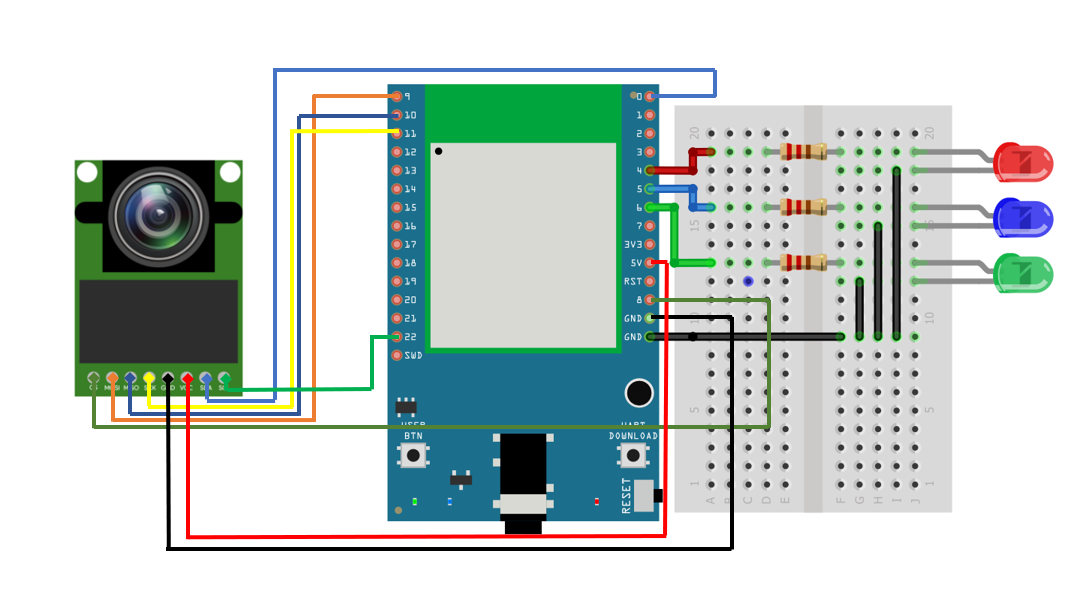
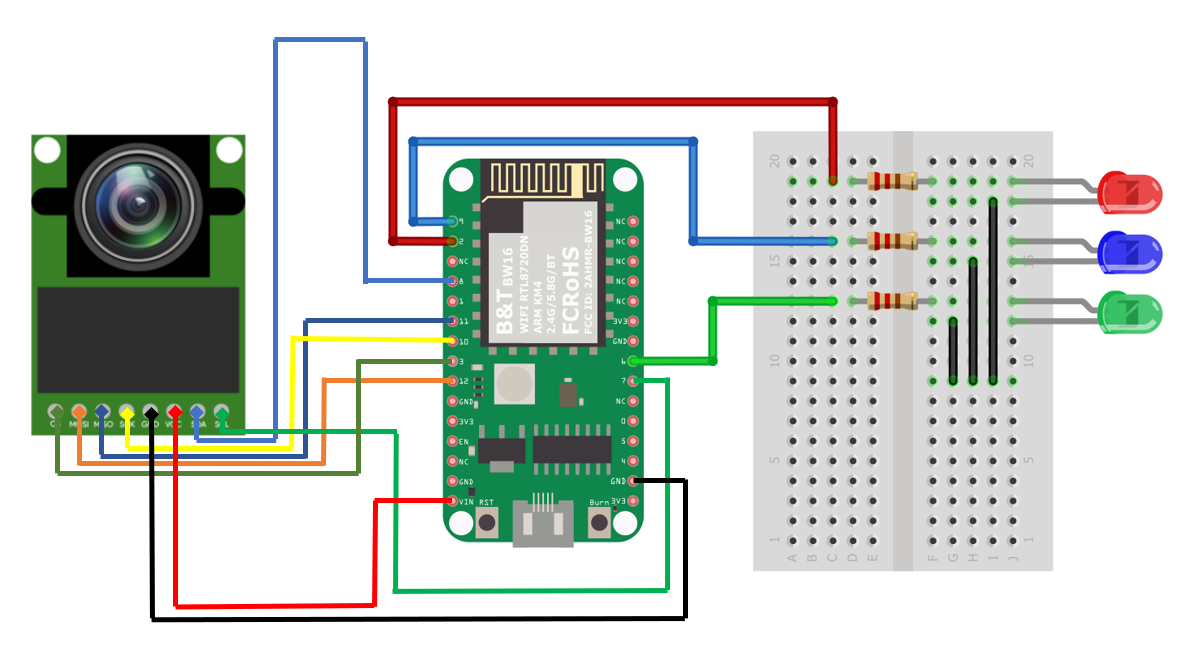
從以下網址下載TensorFlow Lite for Microcontrollers的Ameba版本https://github.com/ambiot/tree/master/Arduino_zip_libraries.
請按照以下說明進行安裝操作https://docs.arduino.cc/software/ide-v1/tutorials/installing-libraries。
確保在以下位置找到patch文件並安裝https://github.com/ambiot/ambd_arduino/tree/master/Ameba_misc/。
还需要安装TensorFlow Lite库与Ameba_ArduCAM库。
還需要安裝TensorFlow Lite庫與Ameba_ArduCAM庫。在Arduino IDE中,安裝JPEGDecoder庫。 此範例已經通過測試1.8.0版的JPEGDecoder庫。
安裝庫後,您需要對其進行配置,以禁用一些與AMB23不兼容的可選組件。 打開以下文件:
Arduino/libraries/JPEGDecoder/src/User_Config.h
//#define LOAD_SD_LIBRARY // Default SD Card library
//#define LOAD_SDFAT_LIBRARY // Use SdFat library instead, so SD Card SPI can be bit bashed
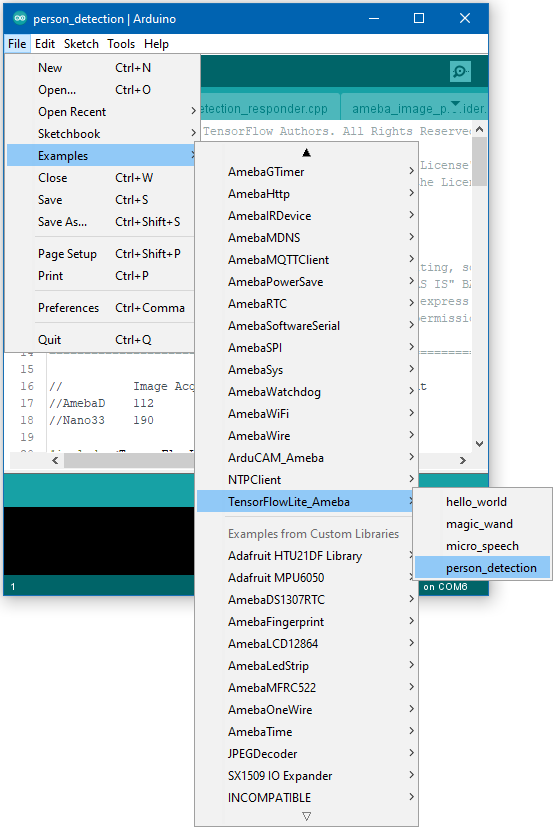
打開範例,”Files” -> “Examples” -> “TensorFlowLite_Ameba” -> “person_detection”。
程式碼説明
有關TensorFlow Lite for Microcontrollers的更多信息,請參考以下網址: https://www.tensorflow.org/lite/microcontrollers